

Blog
How to Prepare a Testing Environment for Drug Labs


TL;DR:
- A testing environment in a drug screening lab includes hardware, software, data, and network setups that mirror production to ensure accuracy and compliance. Proper configuration, isolation, masked data, and automated monitoring are essential to prevent errors and meet regulatory standards. Regular data refreshes and environment management with automation tools improve reliability and audit readiness.
A testing environment is defined as the complete set of hardware, software, data, and network configurations that mirror production conditions to enable accurate, safe, and compliant drug screening workflows. For laboratory technicians and health professionals, knowing how to prepare a testing environment is not optional. A poorly configured setup produces unreliable results, creates compliance gaps under CLIA and FDA guidelines, and can compromise patient outcomes. This guide covers every foundational step, from setting up infrastructure to automating maintenance, so your lab runs with consistency and confidence.
What are the foundational requirements for setting up a compliant testing environment?
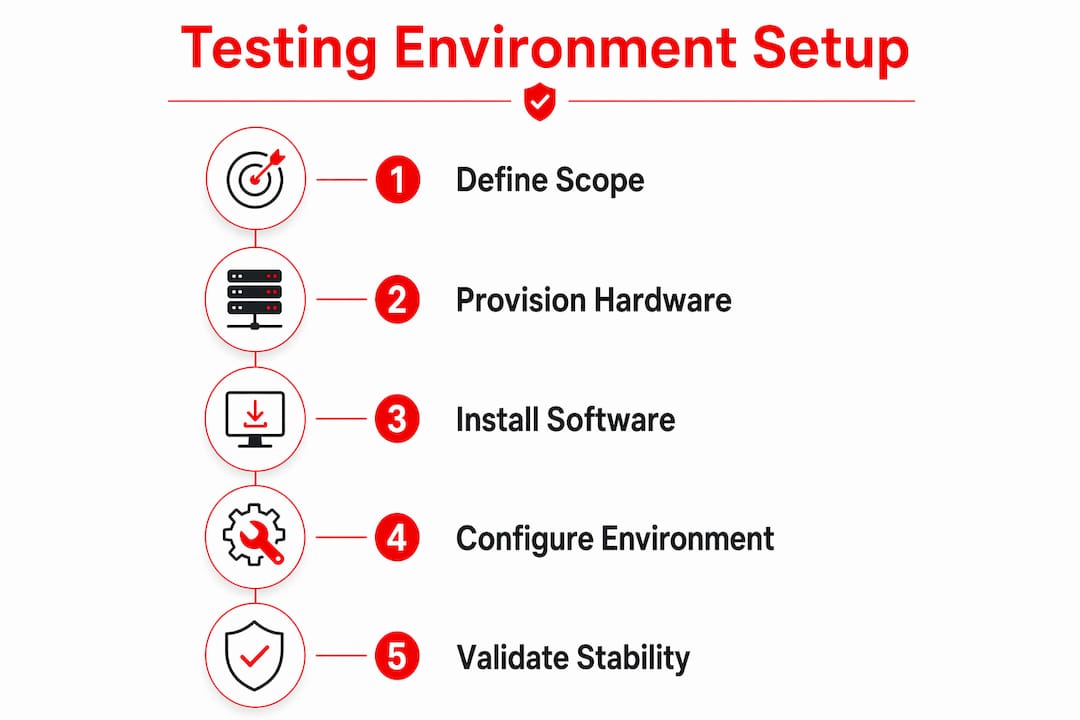
Defining your scope and data strategy before provisioning any hardware is the correct starting point. Decisions about data usage must come before servers, because the wrong data strategy produces inaccurate test results regardless of how well the hardware performs. Lab technicians who skip this step often discover the problem only after a failed audit.
Hardware requirements for a drug testing lab environment include workstations, servers, and networking equipment that replicate live lab conditions. Each component must match the specifications of your production setup. A workstation running a different operating system version than production will produce environment-specific errors that do not reflect real testing conditions.
Software requirements go beyond the testing application itself. You need the correct operating system, all dependencies, database versions, and any middleware your lab information system relies on. Missing a single dependency is one of the most common causes of false environment failures.
Environmental controls are equally non-negotiable. Temperature stability, contamination prevention protocols, and physical access controls protect both specimen integrity and data security. HIPAA requires strict access controls on any system that handles patient data, and CLIA mandates documented procedures for every step of the testing workflow. A laboratory drug testing checklist helps technicians track each requirement before going live.
Pro Tip: Build a simple requirements table listing every hardware component, software dependency, and environmental control alongside its compliance requirement. Review it before provisioning anything.
| Component | Requirement | Compliance Reference |
|---|---|---|
| Workstations | Match production OS and specs | CLIA, FDA |
| Networking | Segmented, access-controlled | HIPAA |
| Software stack | Exact version parity with production | CLIA |
| Physical environment | Temperature logs, contamination controls | FDA |
| Data access | Role-based, auditable | HIPAA |
How to configure and isolate your testing environment for reliability?
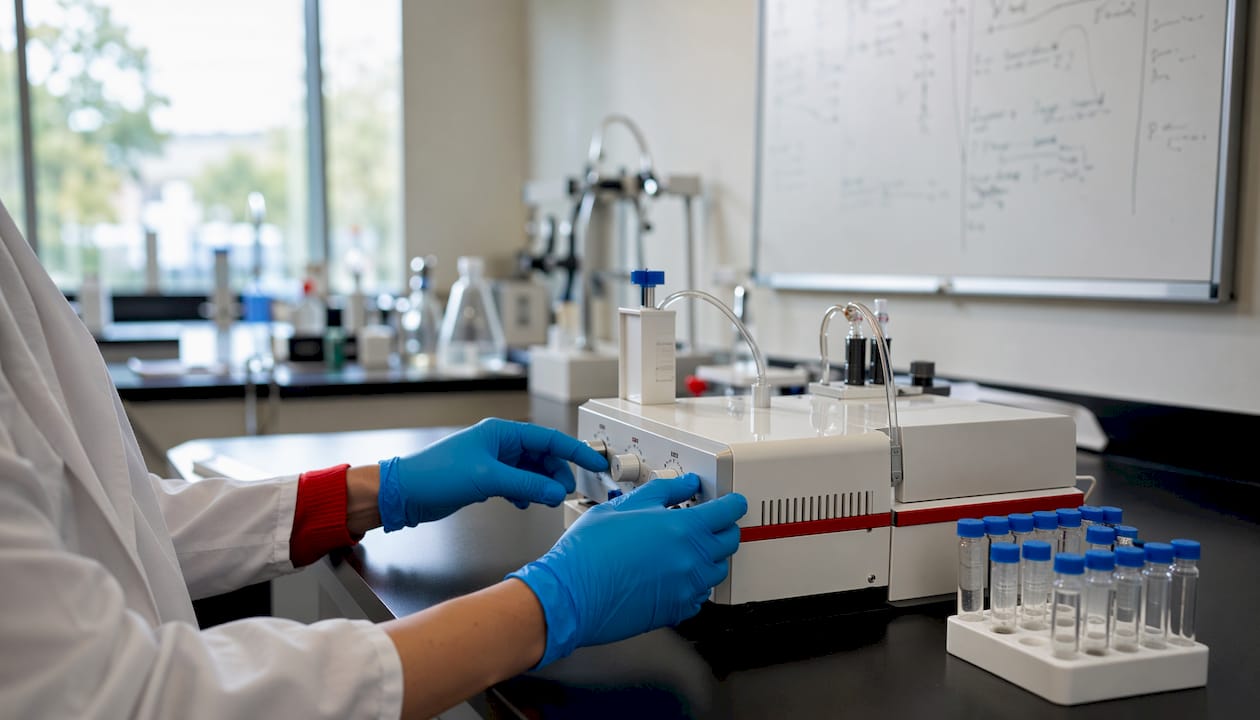
Environment isolation is the single most effective way to prevent cross-contamination between test runs and production data. When a testing environment shares resources with production, a configuration change in one can silently break the other. Isolation removes that risk entirely.
Containerized environments using Docker reduce setup time by 70% and cut environment-related failures by up to 80%. That is a significant gain for labs running multiple test panels simultaneously. Containers also make it easy to spin up an identical environment on any workstation, which matters when your team works across multiple sites.
The core steps for configuring an isolated testing environment are:
- Separate credentials: Never share login credentials between testing and production systems. Use role-based access with unique accounts for each environment.
- Network segmentation: Place the testing environment on its own network segment or VLAN to prevent traffic from crossing into production.
- Virtual machines or containers: Use Docker or virtual machines to replicate production services without touching live systems.
- Infrastructure as Code (IaC): Tools like Terraform, Ansible, and Docker Compose let you define your entire environment in version-controlled files. IaC is the industry standard for reproducibility and auditability.
- Version control: Store all environment configuration files in a repository. Every change is tracked, and any technician can rebuild the environment from scratch.
Pro Tip: Automate your environment setup with a shell script or Docker Compose file. A setup that runs in under 10 minutes is a setup your team will actually use consistently.
The right mix of real services, sandboxed components, and mocked integrations balances realism with stability. A fully mocked environment is fast but may miss real-world edge cases. A fully live environment is realistic but introduces risk. Most labs benefit from a hybrid approach where core services are real and external integrations are sandboxed.
What strategies ensure effective management of test data in drug testing environments?
Test data management is where most labs make their most costly mistakes. Using raw production data without masking exposes patient information, violates HIPAA, and creates legal liability. The correct approach uses masked, synthetic, or seeded data that reflects real-world conditions without containing actual patient records.
- Define your data categories first. Identify the scenarios your test data must cover: typical specimens, edge cases such as diluted samples, and compliance scenarios such as adulteration detection. Each category needs its own data set.
- Mask or synthesize production data. Run production data through an anonymization tool before importing it into the testing environment. Replace real names, dates of birth, and identifiers with synthetic equivalents that preserve the data structure.
- Seed the environment before each test cycle. Automated data seeding scripts populate the environment with a known, consistent data set at the start of every cycle. This eliminates data drift between runs.
- Schedule regular data refreshes. Test data becomes stale. A refresh schedule, monthly at minimum, keeps the data set representative of current testing conditions and panel configurations.
- Segregate test data from production data at the storage level. Use separate databases, separate file directories, and separate access credentials. A quality assurance approach to data management treats this segregation as a non-negotiable control.
- Document every data set. Record what each data set contains, when it was created, and what scenarios it covers. Documentation supports audit readiness under CLIA and FDA requirements.
The most common mistake is skipping data refresh. A stale data set produces results that no longer reflect your current panel configuration, which means your testing environment validates conditions that no longer exist in production.
How to automate and monitor the testing environment for stability?
Environment instability is the top testing blocker for 42% of QA teams. That figure reflects a problem that automation directly solves. Manual environment setup introduces human error at every step, and complex setup wikis make errors more likely, not less.
Automation using Infrastructure as Code tools such as Terraform, Ansible, and Docker Compose removes the human variable from environment provisioning. Every environment built from the same IaC files is identical. That consistency is what makes test results trustworthy.
Key automation and monitoring practices include:
- Ephemeral environments: Spin up a fresh environment for each test cycle and tear it down afterward. Ephemeral environments eliminate shared-state contamination, which is the leading cause of environment instability.
- On-demand provisioning: Ephemeral environments save 40–60% on infrastructure costs when provisioning runs in under 10 minutes. The savings come from not paying for idle environments.
- Health checks: Implement automated health checks that run before every test cycle. A health check confirms that all services are running, all dependencies are reachable, and all data sets are in their expected state.
- Drift detection: Monitor environment configurations against their IaC definitions. Any deviation triggers an alert before it causes a test failure.
- Scheduled cleanups: Automate the removal of stale environments on a schedule. Stale environments accumulate configuration drift and consume resources without contributing value.
A hybrid approach combining always-on integration environments with ephemeral feature environments balances cost and reliability. Always-on environments support continuous integration testing. Ephemeral environments handle feature-level and panel-specific testing without polluting shared state.
Pro Tip: Run an automated validation script before every test cycle. The script should confirm service availability, data set integrity, and network connectivity. A test that starts on a broken environment produces meaningless results.
What common challenges arise during testing environment setup?
Manual setup with complex wikis leads to frequent errors, and those errors compound when teams share environments without coordination. The table below maps the most common challenges to their practical solutions.
| Challenge | Root Cause | Solution |
|---|---|---|
| Environment instability | Shared state, manual changes | Ephemeral environments, IaC |
| Test data inconsistency | No refresh schedule, no masking | Automated seeding, monthly refresh |
| Manual setup errors | Wiki-based processes | Infrastructure as Code |
| Shared environment conflicts | No booking system | Booking systems via Slack or calendar |
| Cost overruns | Always-on idle environments | On-demand ephemeral provisioning |
Shared environment conflicts deserve special attention in lab settings. When two technicians deploy to the same environment simultaneously, test results from both runs become unreliable. Environment booking systems, whether a shared calendar or a Slack bot, prevent overlapping deployments and eliminate silent test failures. This is a low-cost fix with an immediate impact on result reliability.
Cost overruns are a secondary concern that becomes primary when lab budgets tighten. Idle environments running 24 hours a day consume resources without producing value. Switching to on-demand provisioning with automated teardown addresses this directly, and the 40–60% cost reduction makes the automation investment worthwhile within a single budget cycle.
Key Takeaways
A compliant drug testing environment requires isolation, version-controlled configuration, masked test data, and automated health monitoring to produce results that hold up under CLIA and FDA scrutiny.
| Point | Details |
|---|---|
| Define scope before hardware | Establish data strategy and compliance requirements before provisioning any equipment. |
| Isolate the environment | Use containers, network segmentation, and separate credentials to prevent cross-contamination. |
| Mask all test data | Never use raw production data; use synthetic or anonymized data sets refreshed on a schedule. |
| Automate with IaC | Use Terraform, Ansible, or Docker Compose to make every environment build identical and auditable. |
| Monitor and book shared resources | Run health checks before every cycle and use booking systems to prevent deployment conflicts. |
What I’ve learned from years of watching labs get this wrong
Most lab teams treat the testing environment as an afterthought. They spend months selecting the right drug testing panels, training staff on collection procedures, and documenting chain-of-custody workflows. Then they stand up a testing environment in an afternoon using a shared server and a wiki page nobody has updated in two years. That gap is where compliance failures are born.
The shift that changes everything is treating environment configuration as code, not as infrastructure. When your environment lives in a version-controlled repository, every change is visible, every build is reproducible, and every audit question has a documented answer. That is not a software development concept. That is basic quality control applied to your setup process.
Ephemeral environments felt like overkill to me the first time I encountered them in a lab context. They are not. A fresh environment for every test cycle eliminates an entire category of failures that teams spend hours debugging. The time saved on troubleshooting pays for the automation investment within weeks.
The other lesson is that health monitoring is not optional. Automation saves time, but an automated process running on a broken environment produces bad results faster than a manual process would. A pre-cycle validation script that checks service availability, data integrity, and network connectivity takes 20 minutes to write and prevents hours of rework. For testing accuracy in drug labs, that validation step is the difference between a result you can defend and one you cannot.
— Justin
Lab-ready drug testing products from Rapidtestcup
Setting up a compliant testing environment is only half the equation. The other half is having the right testing products to run in it.
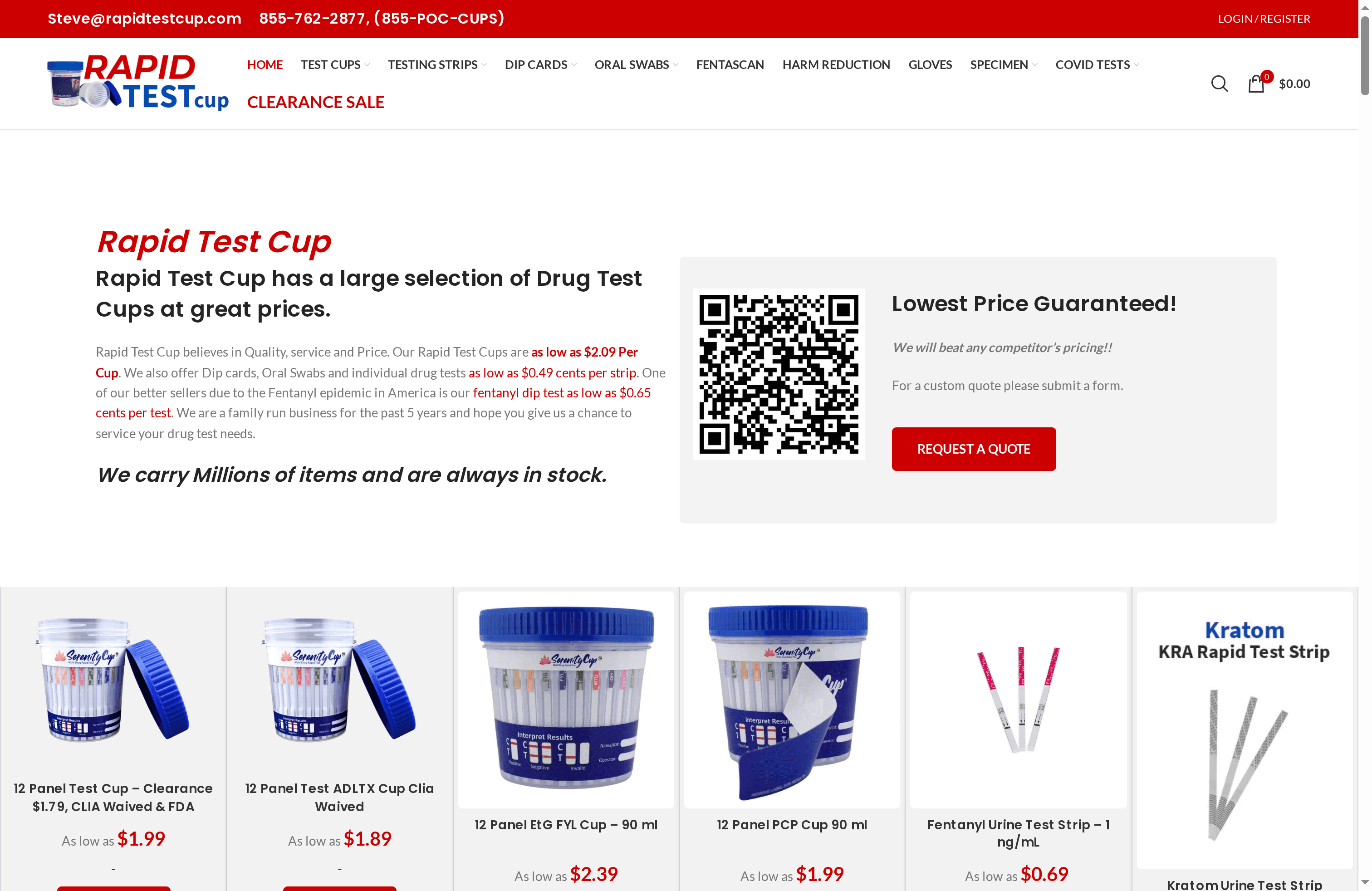
Rapidtestcup supplies CLIA waived, FDA-approved drug testing products designed for laboratory and clinical use. The catalog includes multi-panel drug test cups, urine test strips, specimen collection supplies, and adulteration testing kits built for professional workflows. Whether your lab screens for standard panels or requires specialized detection, the top lab drug testing products at Rapidtestcup are stocked for fast shipping and available in bulk quantities with volume pricing. Explore the full catalog to find the products that match your panel requirements and compliance standards.
FAQ
What is a testing environment in a drug screening lab?
A testing environment in a drug screening lab is the complete set of hardware, software, data, and network configurations that replicate production conditions for safe and accurate test validation. It operates separately from live systems to prevent data contamination and compliance violations.
How do I isolate a testing environment from production?
Use network segmentation, separate credentials, and containerization tools like Docker to keep the testing environment fully independent from production systems. Infrastructure as Code files define the environment so it can be rebuilt identically at any time.
Why is test data masking required in healthcare labs?
HIPAA prohibits the use of identifiable patient data in non-production environments, making masking or synthetic data generation a legal requirement. Raw production data in a testing environment creates direct regulatory liability.
What causes environment instability in lab testing setups?
Environment instability affects 42% of QA teams and is most commonly caused by shared-state contamination, manual configuration changes, and the absence of health monitoring. Ephemeral environments and automated health checks resolve the majority of instability issues.
How often should test data be refreshed in a drug testing environment?
Test data should be refreshed at minimum monthly, or whenever the production panel configuration changes. Stale data sets validate conditions that no longer exist, producing results that do not reflect real-world testing accuracy.